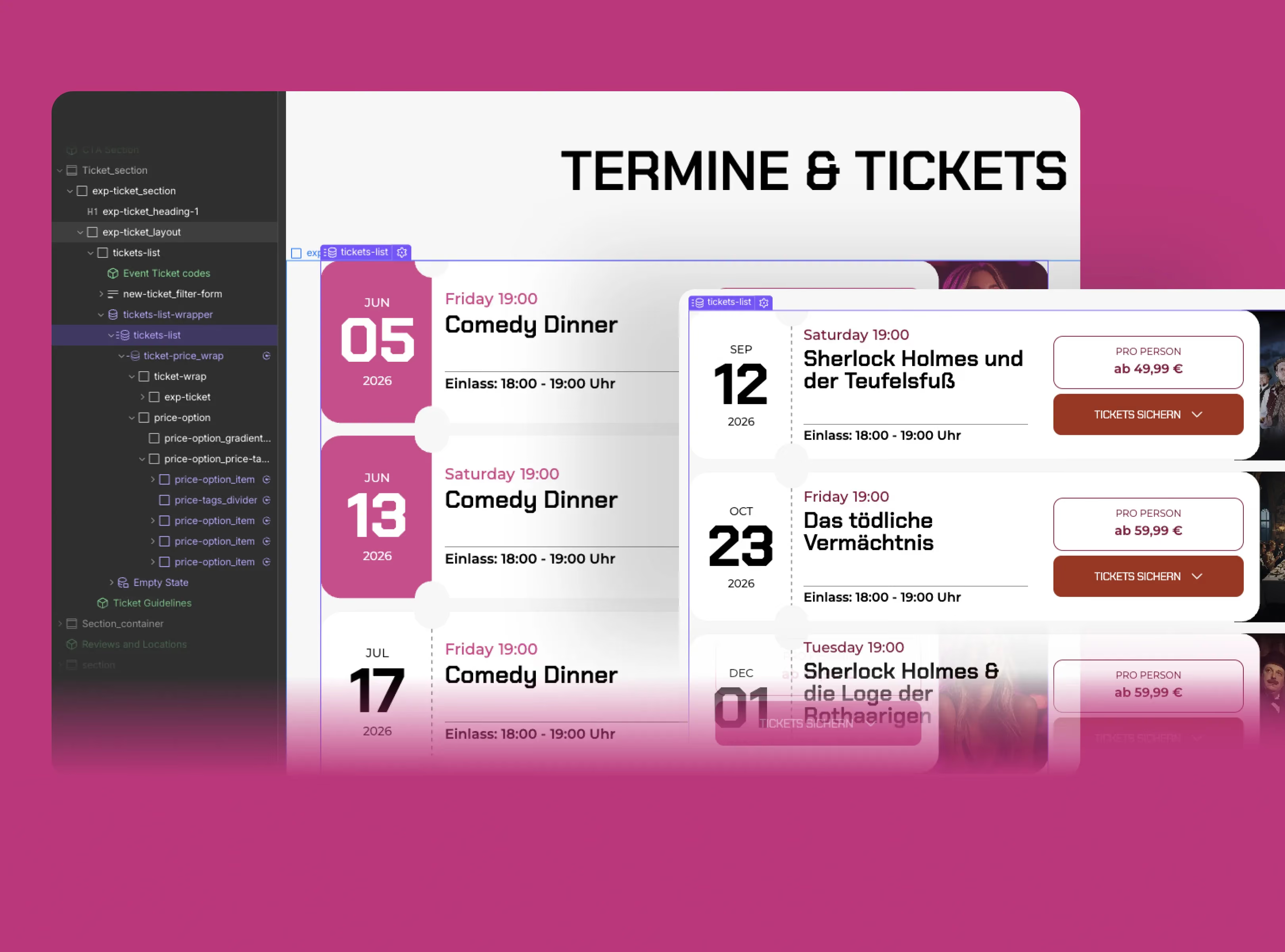
I didn’t set out to rebuild a CMS-powered ticket system from scratch.
I just wanted to fix a button color.
That’s usually how my best work starts; one small problem that quietly opens the door to a much bigger one.
At Gastronaut, our event pages were held together with duct tape: inconsistent class names, scattered scripts, hardcoded styles, and CMS updates that felt unnecessarily stressful. Editors hated touching it. Honestly, so did I.
So I rebuilt the system from scratch.
_______________________
I created a reusable Webflow component that now powers 10+ event pages — handling localization, theming, accordions, and past-event filtering in one place. The goal was simple: make it easy enough for anyone on the team to launch a new event page without touching code.
One of the trickiest parts was localization. Webflow’s CMS outputs dates in English, but our audience is German. Instead of hardcoding translation logic to specific elements, I used custom attributes like [data-localize="month"] and [data-localize="day"] so the script could automatically detect and translate dates anywhere on the page. Small change, massive flexibility.
I also rebuilt the theming system around attributes. Different event types: Neon Nights, Karaoke, House, Techno, each have their own visual identity. Rather than hardcoding colors everywhere, elements simply declare their role with attributes like [data-theme="text"] or [data-theme="bg"], and the script applies the right styles dynamically.
The result: adding a new themed element takes seconds instead of another Slack message asking me to edit code.
There were plenty of small engineering moments hidden inside the build too:
- Gradient hover states using
::afteroverlays instead of JS - Auto-hiding expired events by reconstructing dates from CMS fragments
- A height-animated accordion system using "scrollHeight"
- Responsive logic that lets Webflow handle mobile layouts instead of fighting them with JavaScript
The biggest win wasn’t the code itself.
It was removing myself as the bottleneck.
Now there’s one source of truth instead of ten slightly different page setups. Editors can duplicate components, populate CMS fields, and publish events without needing technical help.
This project also changed how I think about AI-assisted development. A lot of the system was built through conversations with Claude — not “build this for me,” but collaborative debugging and architecture thinking. The real skill wasn’t prompting. It was knowing the system well enough to ask precise questions and recognize good solutions when they appeared.
What I learned most from this build is that good systems aren’t about clever code:
- They’re about reducing friction.
- Attributes over fragile selectors.
- Reusable logic over page-specific hacks.
- Clear structure over complexity.
Build for the person who comes after you — even if that person is you six months later trying to remember why you did any of this in the first place.